blue background image
Woman with glasses sitting on couch working on computerMan walking across the street in a city

Corporate travel booking

Smart booking with real people behind it

Give travelers the flexibility to book directly through Andavo or work with an experienced travel advisor. However they book, every trip stays connected to your travel program, with consistent policy oversight, centralized reporting, and support throughout the journey.

Request a demo
right arrow
Clock with 24/7 in front of it
24/7 agent support

Get personalized 24/7 business travel booking support, 365 days a year, from our specialized business travel agents. You’re in good hands.

Computer screen illustration with lines, box and checkmark
Book on Andavo

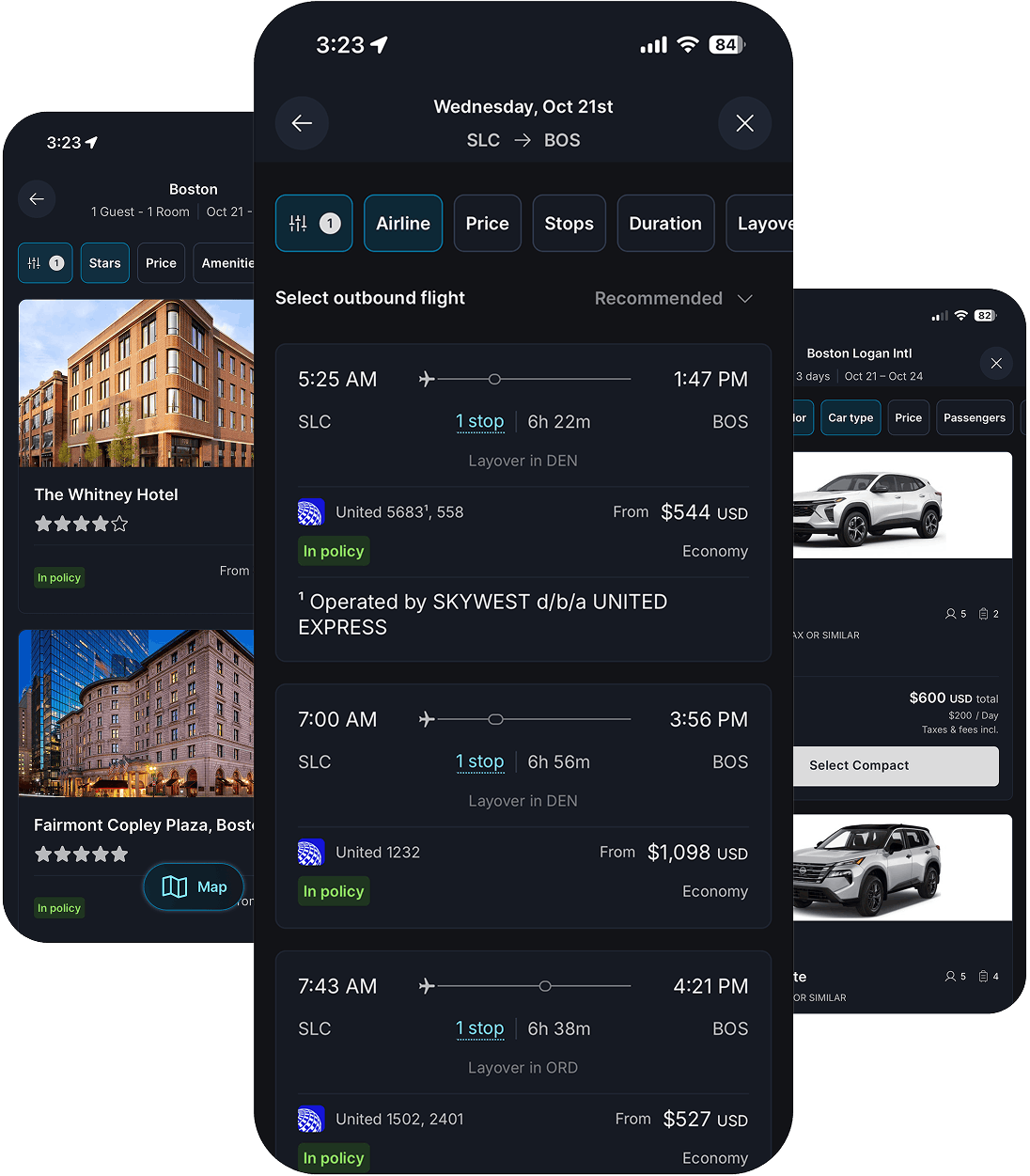
Travelers can book air, car, and hotel on Andavo Booking, with every airline and fare class in reach and policy applied as they search. Ask about it for your organization.

Circular arrows with person on headset at computer illustration
One program, however they book

However a trip gets booked, it ends up in the same place: one itinerary for your traveler, one set of reports for you, and one team you can hold to all of it.

BUSINESS TRAVEL ADVISORS

Travel with the same team, every trip

Your travelers get a designated advisor team that already knows your program: your policy, your preferred vendors, your approval chains. They learned all of it during implementation, so nobody has to explain the account again on every call.
check box icon
Your travel policy, applied at booking
check box icon
Our global hotel discount program
check box icon
Rental car discount programs
check box icon
Your preferred vendors and contracted rates
Get started
right arrow

ONLINE BOOKING

Your booking site set up around your policy

Our certified team builds your online booking site, tailors it to how you work, and keeps it current, so out-of-policy options get flagged or held back right at the point of sale and bookings reach your expense system without anyone re-keying them. We're an SAP Concur Partner TMC.
check box icon
Certified technical support for your booking tool
check box icon
Site build, customization, and policy configuration
check box icon
Training and onboarding
check box icon
Help with navigation and application issues
See how we work with SAP Concur
arrow right blue

UNUSED TICKETS

Booking that holds up when plans change

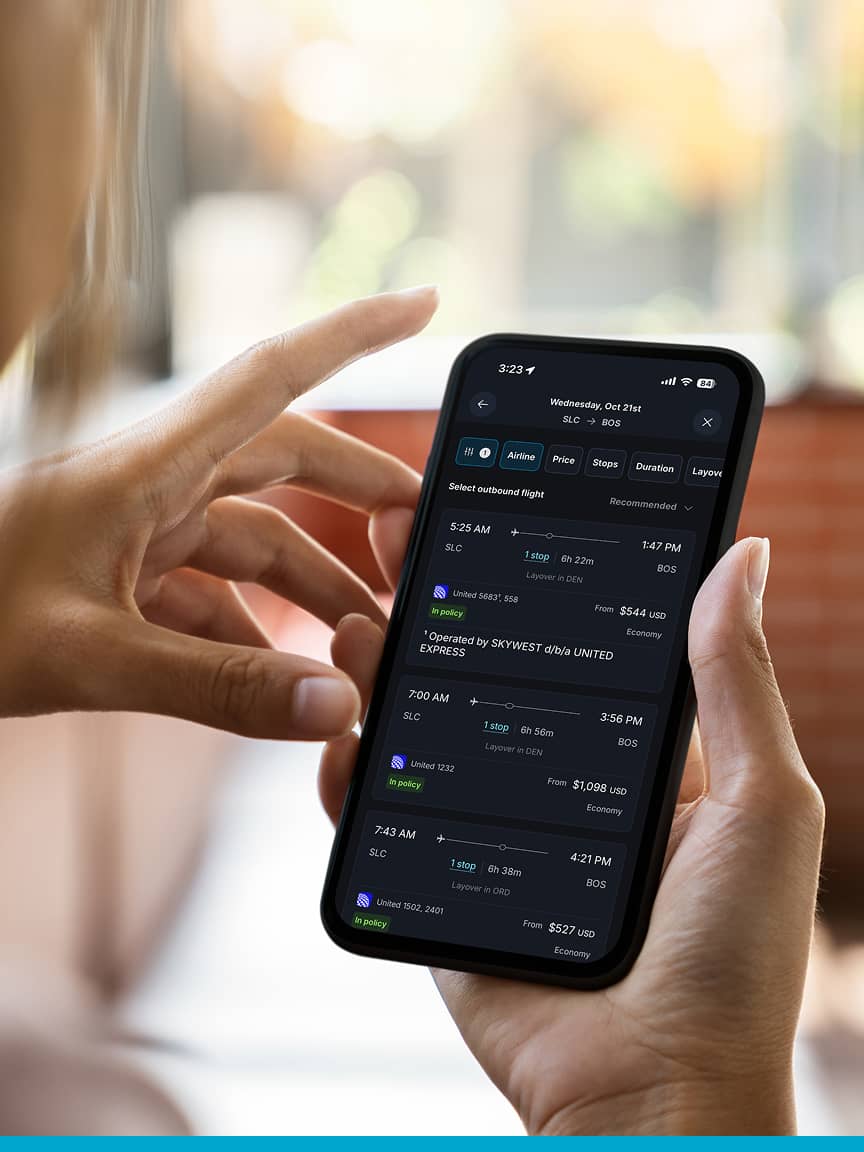
Andavo Booking is our own booking and servicing platform for air, car, and hotel. Your travelers get every airline and fare class in reach, rather than whatever a single supplier decides to show them. They book in a few steps, and when plans change, everything about the trip stays together.
Every option marked at search time, before anything is booked
Out-of-policy options stay visible, with the reason attached
Policy you can write in plain language, with help from AI
A sandbox to try policy changes against past bookings before they go live
See Andavo Booking
right arrow

ANDAVO POLICY ENGINE

Catch it before anyone books

The Andavo Policy Engine looks at every option while your traveler searches and marks it: in policy, needs approval, or preferred vendor. Out-of-policy choices stay on screen, flagged rather than hidden, so your travelers still see everything and your program still keeps its shape.
check box icon
Every option marked at search time, before anything is booked
check box icon
Out-of-policy options stay visible, with the reason attached
check box icon
Policy you can write in plain language, with help from AI
check box icon
A sandbox to try policy changes against past bookings before they go live

UNUSED TICKETS

Nobody should pay twice for the same flight

When a trip gets cancelled, the credit doesn't vanish into a spreadsheet. Advisors and your booking tools surface the credits that apply right when someone books, the original traveler gets first claim, and where the airline allows it, transferable credits go to whoever needs them. The value turns up in your reporting instead of quietly expiring.

Unused ticket management is included at no additional cost.

OUTSIDE BOOKINGS

Nothing has to live outside the trip

Sometimes a traveler books somewhere else. Forwarding the flight, hotel or rental car confirmation to plans@andavo.com puts it on their Andavo itinerary, matched to the right trip by its dates and locations. Now your program sees the whole trip either way, so the bookings that used to sit outside your reporting stop hiding there.
check box icon
Forward a confirmation to plans@andavo.com
check box icon
Flight, hotel and rental car confirmations supported today
check box icon
Added to the right trip without anyone needing to enter it in
check box icon
Trips booked elsewhere show up in your reporting

Business travel booking FAQs

Read the full FAQs
arrow right blue

How do I book a business trip through Christopherson Business Travel? 

Closed click to openOpen click to close

Can I make changes to my business travel booking after it has been confirmed? 

Closed click to openOpen click to close

What if I encounter issues during my trip? 

Closed click to openOpen click to close

Can I book travel for multiple employees at once? 

Closed click to openOpen click to close

How do I ensure compliance with my company’s travel policy? 

Closed click to openOpen click to close

How do I access my itinerary and business travel documents? 

Closed click to openOpen click to close

What should I do if I need assistance outside of regular business hours? 

Closed click to openOpen click to close
Download

Buckle down.

Take a deeper dive into our booking options and services.
Download
Arrow right
Get more out of booking booklet. Woman holding papers, tall buildings.

Request a demo

We’ll show you how Andavo works for a program like yours.

Are you a traveler needing support?
Get travel support
arrow right blue